
April 17, 2026
Monitoring an Alarm.com System You Already Have: How To Switch to Surety
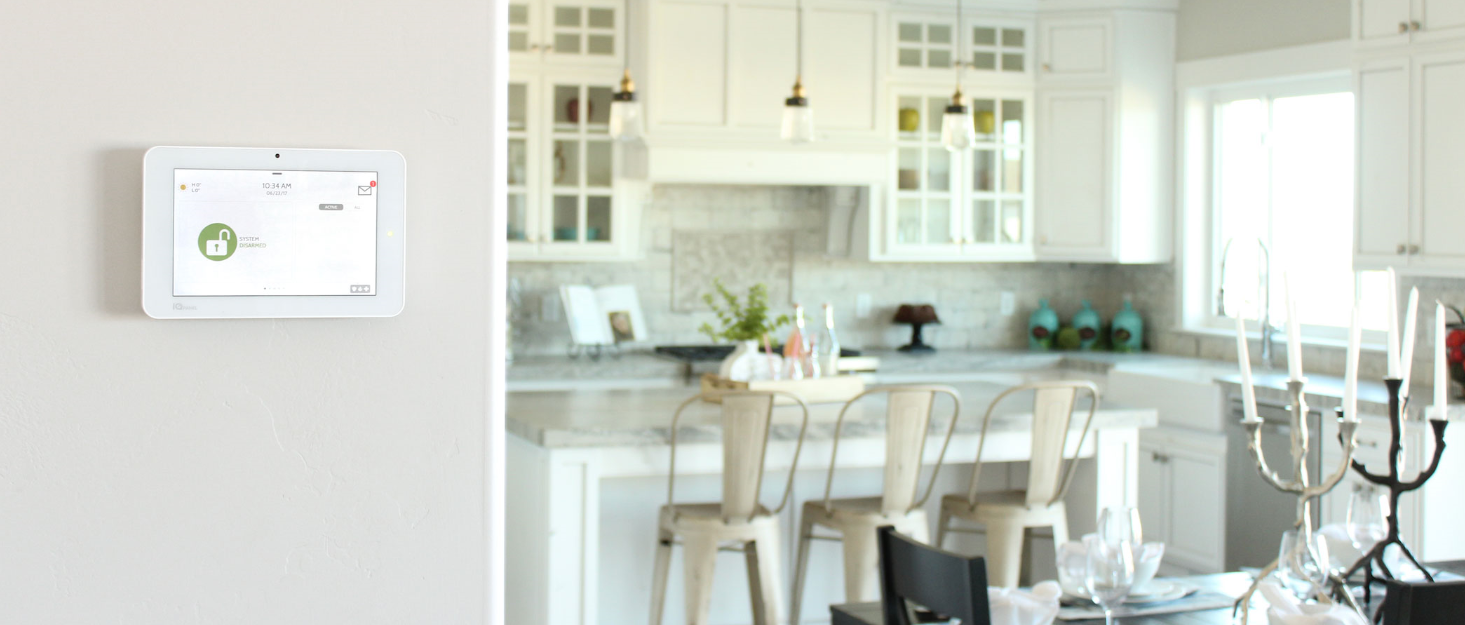
You already own an Alarm.com compatible system, built around a Qolsys IQ or 2GIG panel, and you are shopping for a monitoring and service provider. You do not need new equipment. You need a new dealer. The DIY security community’s answer to which provider to use in this situation is consistent and has been for years: Surety Home. The reasons are clear and verifiable. Surety has the lowest prices in the DIY Alarm.com market, charges no contract and no cancellation fees, lets you activate service online in about 5 minutes at any hour, focuses exclusively on Alarm.com, and carries the strongest independent reputation among DIY Alarm.com providers on Trustpilot, Google Business, Reddit, and community forums. This article shows you exactly how to make the switch.
Why the DIY Security Community Recommends Surety
The case for Surety rests on facts you can confirm in a few minutes on the web.
Lowest prices, verified. Surety’s plans with professional monitoring start at $19/month. There is no setup fee, no cancellation fee, and every plan is true month to month. Compare the equivalent tiers on any other DIY Alarm.com provider’s site (AlarmGrid, Geoarm) and Surety is consistently the lowest cost for equivalent Alarm.com service. The numbers speak for themselves.
Self serve activation, any time. No waiting for a business day. No waiting for an agent to process a switch. You go to suretyhome.com/get-started, enter your panel’s IMEI, and your new Alarm.com account is live in about 5 minutes. Available 24 hours a day, 7 days a week. Most providers in this space still require a phone call and a human approval step. Surety does not.
Alarm.com only. Surety does one thing: Alarm.com. No other platforms. Every technician on their support team is an Alarm.com specialist with deep, day to day knowledge of Qolsys and 2GIG hardware. Providers that split their attention across multiple security platforms simply do not build that kind of platform specific depth.
Reputation backed by independent evidence. 4.7/5 on Trustpilot. 4.8/5 on Trustindex. Alarm.com Gold Partner. The independent Save the Panel community names Surety as their personal recommendation (see the founder’s post: The Impact of Doing DIY Security). On Reddit’s r/homesecurity, r/homedefense, r/Qolsys, and r/alarmdotcom, Surety is the name that comes up again and again when people ask who to use for Alarm.com monitoring on existing equipment. This is not a paid placement. It is what the community tells newcomers when there is no incentive to say anything at all.
Support 7 days a week. Surety Support runs through a searchable forum and email, available every day of the week. Written support means you get records, screenshots, and direct links you can follow at your own pace, which is more precise than reading numbers over the phone and far more useful on a Saturday afternoon.
For context, the other legitimate DIY Alarm.com providers are worth a brief, fair comparison. AlarmGrid is a real provider with a well regarded YouTube support library. Their pricing is higher than Surety’s for equivalent Alarm.com service, and they support multiple security platforms rather than focusing exclusively on Alarm.com. A solid option, but not the lowest cost or the most Alarm.com focused choice. Geoarm is one of the oldest Alarm.com providers. Their pricing is higher than Surety’s across equivalent tiers, and their independent reputation in community forums and on review sites does not match Surety’s. Also legitimate, but Surety’s price advantage and support reputation are meaningful differentiators. The community’s answer for which provider is best on existing Alarm.com equipment is Surety, and the specifics above are why.
Is Your System Compatible?
Alarm.com compatibility comes down to the panel at the center of your system. The panel is the brain: it communicates with the Alarm.com cloud through internet and cellular, which is what enables remote arming, mobile app control, automation, professional monitoring dispatch, and the full Alarm.com feature set. If your panel is one of the models below, your system is ready to go.
Compatible panels covered by this article:
Qolsys IQ Panel 2, Qolsys IQ Panel 4, Qolsys IQ Panel 5, Qolsys IQ4 Hub, Qolsys IQ5 Hub, Qolsys IQ Pro, 2GIG GC2e, 2GIG GC3e, 2GIG GoControl2, 2GIG Edge.
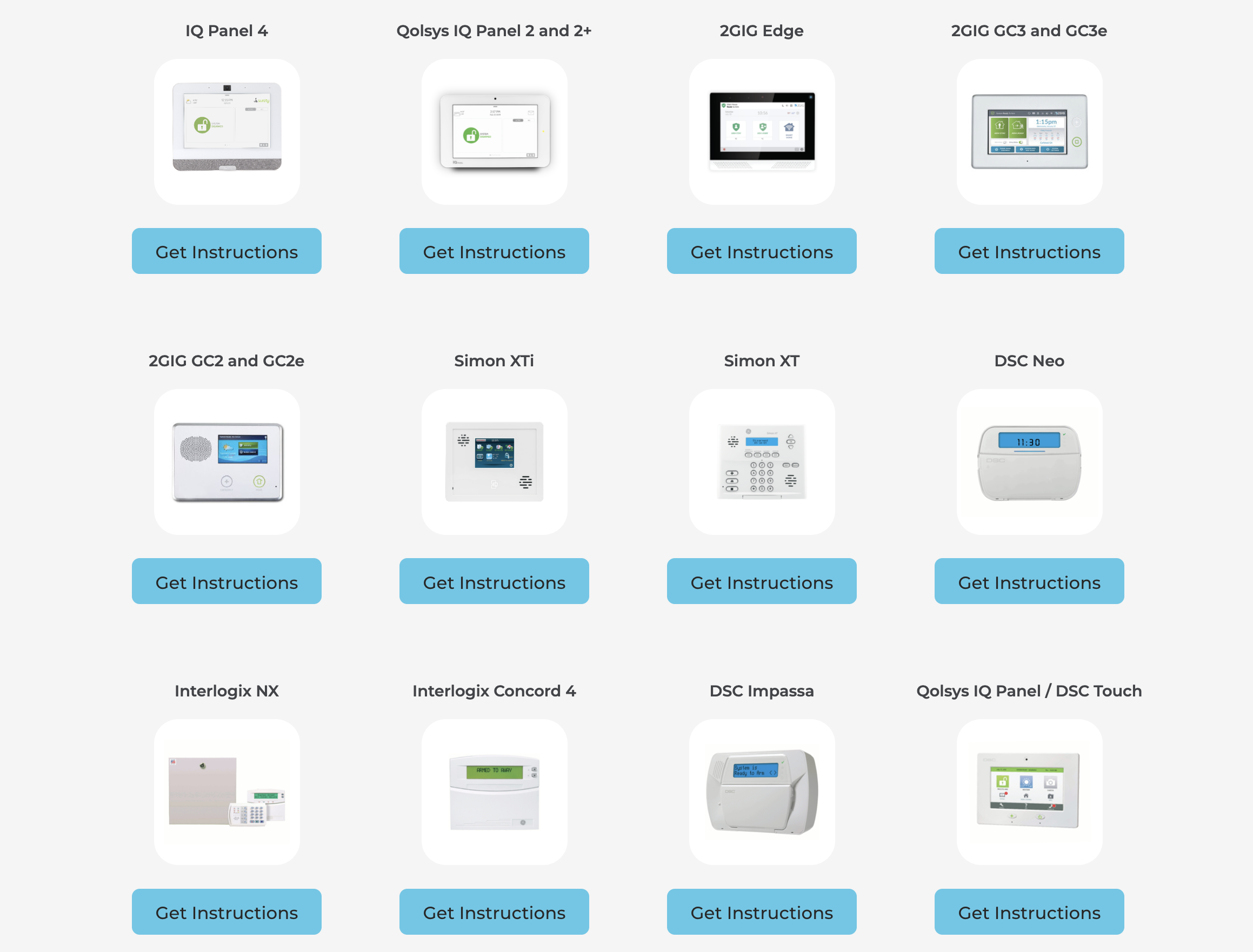
If you have an older wired DSC or Honeywell system, you can still connect to Alarm.com through a Security Equipment Module (SEM). That path is more involved and is not the focus of this guide. Surety maintains the full compatibility list at suretyhome.com/compatible-alarm-systems, and their support team can advise on SEM installs if that is your situation.
What Happens to Your Existing Equipment
Nothing changes with your existing system. Your door and window contacts, motion detectors, glass break sensors, smoke and CO detectors, and Z-Wave devices (smart locks, thermostats, garage door controllers, lights) all stay programmed in the panel exactly as they are. You are not replacing hardware. You are replacing the service account that connects your system to the Alarm.com cloud.
Cameras and other Wi-Fi devices are a separate story. They are not stored in the panel, they live in the Alarm.com account itself. When your old account is terminated, those devices come off with it, and you add them to your new Surety Alarm.com account after activation. The hardware stays yours, and adding each camera back is a quick walkthrough in the Alarm.com app.
The terminology that matters is “registered” vs. “unregistered.” Your panel’s cellular module is registered when it is connected to an active Alarm.com account. When that account is terminated, typically when you cancel with your current provider, the module becomes unregistered and is ready for a new account. You then create your new Alarm.com account with Surety and connect it to your panel. The process from unregistered module to active new service takes about 5 minutes.
One gotcha to know about: some providers keep the Alarm.com account active after cancellation, which keeps your module registered and blocks a clean switch. If you cancel and your panel still shows as registered a day or two later, contact your old provider and require them to terminate the Alarm.com account. This is your right as the equipment owner.
Before You Start: Check Your Module
Before you purchase a plan, use Surety’s free Module Check Tool to confirm two things: your module is unregistered, and it is 4G LTE (older 3G and CDMA modules were sunset and are no longer supported on the carrier networks). You will need the 15 digit IMEI number for your cellular module. It is typically visible in your panel’s settings under About or Cellular, on a label on the back of the panel, on the cellular radio itself, or on the original box the panel shipped in. Surety’s support forum has step by step guides for locating the IMEI on each panel model.

If the Module Check Tool shows your module is still registered, you need to cancel with your current provider first and, if necessary, require them to terminate the Alarm.com account. If the module is not 4G LTE, a replacement module may be needed before you can activate, and Surety’s team can tell you which one is right for you.
How to Switch: Step by Step
The switch itself is straightforward. These are the practical steps from existing system to active service.
1. Confirm your panel model. Check the panel’s settings menu or the label on the back. If you have a Qolsys IQ Panel 2, 4, or 5, an IQ4 Hub, IQ5 Hub, or IQ Pro, or a 2GIG GC2e, GC3e, GoControl2, or Edge, you are in good shape.
2. Cancel with your current provider. When they close your account, your Alarm.com account is terminated and your module becomes unregistered. If you are in a contract, review the early termination terms before cancelling. If your service has already lapsed, skip ahead, your module may already be unregistered.
3. Check your module status. Run the Module Check Tool. If it shows unregistered, you are ready to activate. If it still shows registered, follow up with your old provider to have the Alarm.com account terminated.
4. Choose your plan. Visit Surety Plans. Pick based on what is in your system: Surety Alarm ($19/month) for sensors only, Surety Home ($22/month) if you have Z-Wave locks, thermostats, or lights, Surety Protect ($26/month) if you have up to 4 cameras, or Surety Complete ($29/month) if you have automation and cameras together. Professional monitoring is included in those prices, or subtract $5/month if you prefer to self monitor and add monitoring later.
5. Activate online. Go to suretyhome.com/get-started, enter your module’s IMEI, and complete setup. Surety creates your new Alarm.com account and connects it to your panel. It takes about 5 minutes. No human approval required. Available any time, day or night.
6. Set up your account. Your sensors and Z-Wave devices are still programmed in the panel, so there is nothing to re-pair there. Any cameras or other Wi-Fi devices do need to be added to your new Alarm.com account, which is a quick walkthrough in the app for each one. Then set up your notifications, automation rules, user codes, and emergency contact list. Surety’s setup guide on the support forum walks through each step.
7. Get help if you need it. Surety Support is available 7 days a week. Post on the forum, send a private message, or email. Surety’s technicians know Qolsys and 2GIG inside and out, and the forum is searchable, so you often find your answer in a previously posted thread within seconds.
If your current provider supports Alarm.com account transfers (not all do), you can transfer your existing account to Surety instead of creating a new one, which preserves your existing rules, scenes, notification setup, and historical data. Details at suretyhome.com/transfer-to-surety.
Choosing the Right Plan
Surety’s plans are built around what people actually want from Alarm.com. Pick based on the equipment you have and how you intend to use it.
Surety Alarm, $19/month. Professional alarm monitoring, full Alarm.com app access, smart arming, and two way voice. The right choice for homeowners who want reliable protection without extras.
Surety Home, $22/month. Everything in Alarm, plus home automation for smart locks, thermostats, garage doors, and lights. The right choice if you have Z-Wave devices already or plan to add them.
Surety Protect, $26/month. Everything in Alarm, plus video monitoring for up to 4 cameras. The right choice if cameras are central to your setup.
Surety Complete, $29/month. The full package: alarm, automation, and video, all in one plan. The right choice for homeowners who want everything Alarm.com offers.
| Plan | Price | What’s Included |
|---|---|---|
| Surety Alarm | $19/month | Professional alarm monitoring, Alarm.com app, smart arming, two way voice |
| Surety Home | $22/month | Everything in Alarm, plus home automation (locks, thermostats, lights, garage) |
| Surety Protect | $26/month | Everything in Alarm, plus video monitoring for up to 4 cameras |
| Surety Complete | $29/month | Alarm, automation, and video monitoring in one plan |
Every plan is month to month from day one. Self monitoring (no professional monitoring dispatch) is $5/month less on every plan. You can change or cancel any time with no penalty, and you can add or remove professional monitoring any time as well.
What About Professional Monitoring?
Professional monitoring means a trained agent receives your alarm signal, calls you and your emergency contacts to verify, and dispatches police, fire, or medical services when the situation calls for it. Surety uses Becklar Monitoring, a well regarded monitoring center that consistently delivers among the fastest alarm response times in the industry. You can add professional monitoring to any plan for $5/month. There is no separate monitoring contract, and you can add or remove it whenever your needs change.

If you plan to use visual verification, video cameras allow Becklar’s operators to see what triggered an alarm before dispatching, which reduces false dispatch fees and speeds real responses. That is a meaningful upgrade over audio only monitoring and is one reason the Alarm.com platform is considered among the best for serious home security.
If you already have a Qolsys or 2GIG system, the hard part is done. The switch to Surety is simple: cancel your old service, confirm your module is unregistered, and activate online in minutes. No contracts. No setup fees. No waiting on an agent. When you are ready, start here: suretyhome.com/get-started.
