Description
Fills the gaps Wi-Fi sensing can’t reach
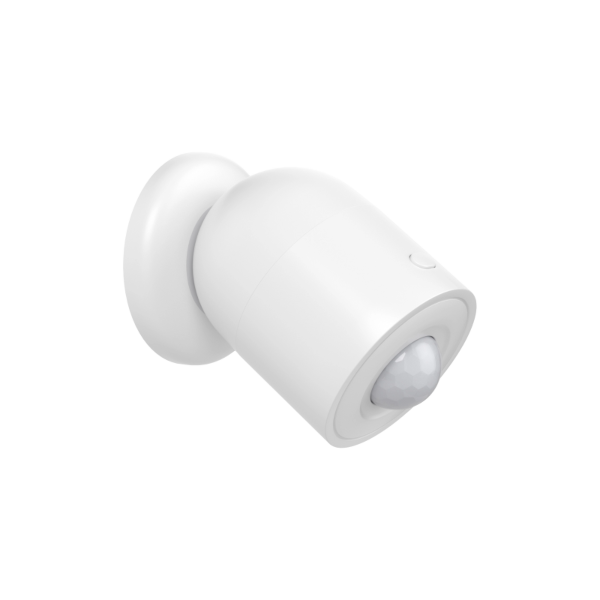
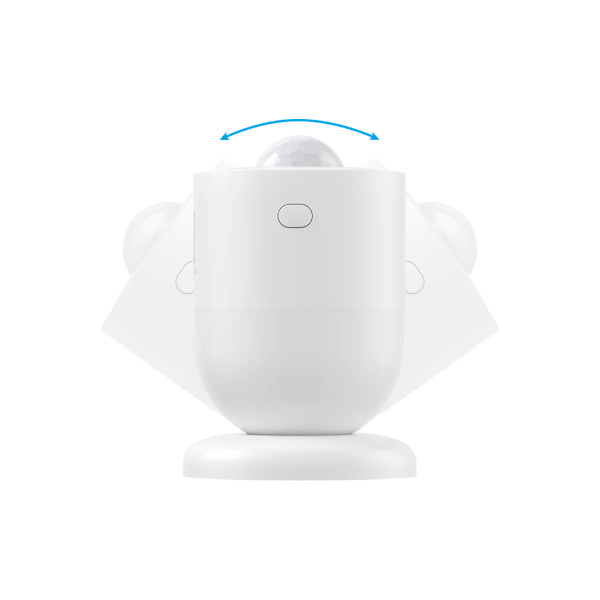
The nami PIR Motion Detector adds classic passive infrared detection to your nami system, covering hallways, closets, and tight spaces where a Sensor Plug isn’t practical. Mount it on a wall or in a corner and it’s ready, no outlet required.
Delightfully easy to install and use
There’s nothing to wire and nothing to plug in. Mount the detector where you need it and it joins your existing nami system automatically, no pairing steps required.
How it complements Wi-Fi sensing
Your nami Pod and Sensor Plugs use Wi-Fi sensing to detect motion across entire rooms, but they need to be plugged into an outlet to do it. The PIR Motion Detector works differently: it uses a traditional infrared beam to spot motion in its direct line of sight, so it’s the better fit for hallways, closets, stairwells, and other tight spots that don’t have a nearby outlet or don’t need whole-room coverage. Together, Wi-Fi sensing and PIR detection cover the areas each does best, so your system has fewer blind spots overall.
nami PIR Motion Detector Specs & Guides
- Manufacturer
- nami
- Part number
- NSA302-000
- Platform
- Alarm.com
- Connectivity
- Joins the mesh network formed by your existing nami Pod
- Sensing Technology
- Passive infrared (PIR) motion detection
- Mounting
- Wall or corner mount, no outlet required
- Requires
- An existing nami Alarm 15 Starter Kit (Pod)
- Installation
- Self-install, no wiring or professional installation required
- Warranty
- 1 year
- Box Contents
- PIR Motion Detector (×1)
Product Guides
Plan Compatibility
| Alarm & Automation | |
|---|---|
| Alarm | Home |
| Cameras Only | |
|---|---|
| Cam | Cam Plus |
| Alarm, Automation & Cameras | |
|---|---|
| Protect | Complete |
Support
- Do I need a nami Pod to use this sensor?
- Yes. This sensor joins the Wi-Fi mesh network created by The Pod in a nami Alarm 15 Starter Kit and can’t be used on its own.
Still have questions? We’ve got answers!
The Surety support forum is the #1 resource for answers to all your questions about setting up and using your nami system.
Find Answers