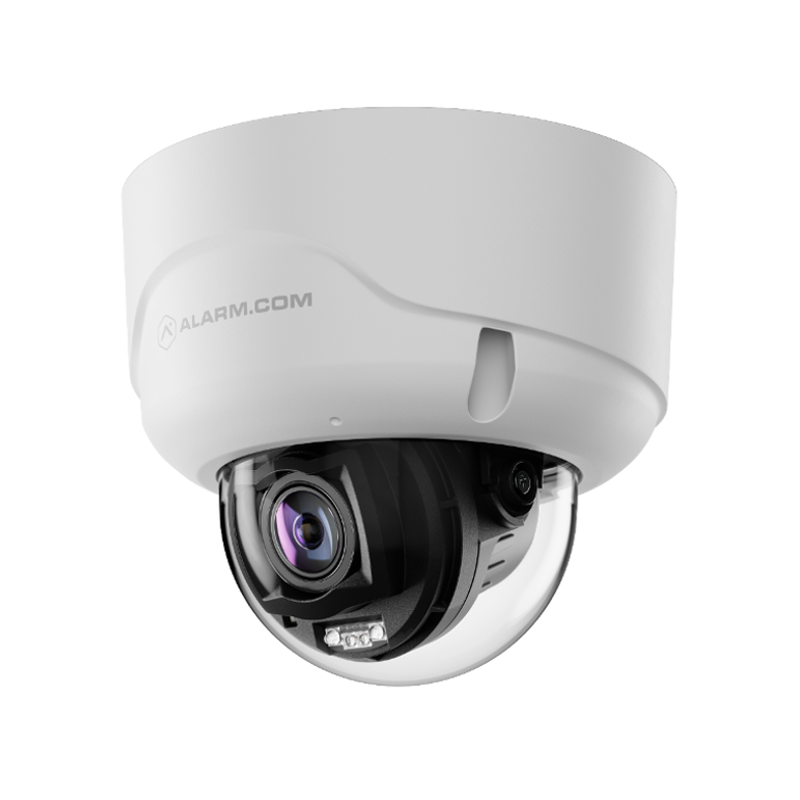
Description
Specs & Guides
- Manufacturer
- Alarm.com
- Model
- ADC-VC8498PA
- Max resolution
- 3840 x 2160 (8MP)
- Image sensor
- 1/1.8″ SONY STARVIS 2 CMOS
- Field of View Horizontal
- 110.4° – 45.1°
- Field of View Vertical
- 57.9° – 25.4°
- Field of View Diagonal
- 133.9° – 51.8°
- Range of motion
- Pan: 350° Tilt: 80° Rotation: 350°
- Remote varifocal control
- Focal length, manual focus adjustment, autofocus
- Low-light sensitivity
- 0.02 lux @ F1.6 (Color), < 0.005 lux @ F1.6 (B/W), 0 lux with IR on
- IR range
- Up to ~131 feet (40 meters)
- Image adjustments
- Flip, brightness, contrast, saturation, sharpness, exposure
- Ethernet connection
- 10/100 Mbps Ethernet (RJ-45)
- Operating temperature IR off
- -35 to 60°C (-31 to 140°F)
- Operating temperature IR on
- -35 to 50°C (-31 to 122°F)
- Operating humidity
- Up to 98% RH (non-condensing)
- Input voltage
- IEEE 802.3af type 1 PoE
- Power consumption Day – IR off
- 9.6W
- Power consumption Night – IR on
- 12.4W
- Dimensions
- (LxWxH)
- Weight
- 2.18 lbs (0.99 kg)
- Ingress protection
- IP66, NEMA 4X
- Impact protection
- IK10
- Local Recording
- SVR and Onboard Recording
- Two-Way Audio
- Full-Duplex with built-in mic. External speaker installation required
- External speaker connection
- Output/Input: 3.5mm Mono Female Connector*
* External audio requires use of the ADC-VACC-AO-015 (sold separately)
Plan Compatibility
| Alarm & Automation | ||
|---|---|---|
| Alarm | Home | |
| Cameras Only | ||
|---|---|---|
| Cam | Cam Pro | |
| Alarm, Automation & Cameras | |
|---|---|
| Protect | Complete |
Support
- How do I get notified when somone is on my porch?
- Log into your Alarm.com account via the website. Go to Video -> Recording Rules and create a new Video Object Detection Rule. Choose the camera and type Ground Zone. Choose Outdoors. Outline the area on the porch or entryway. Select send notifications for clips containing People. Choose your mobile device to receive the notification.
Still have questions? We’ve got answers!
The Surety support forum is the #1 resource for answers to all your questions about setting up and using the camera.
Find Answers